Multi-locale table
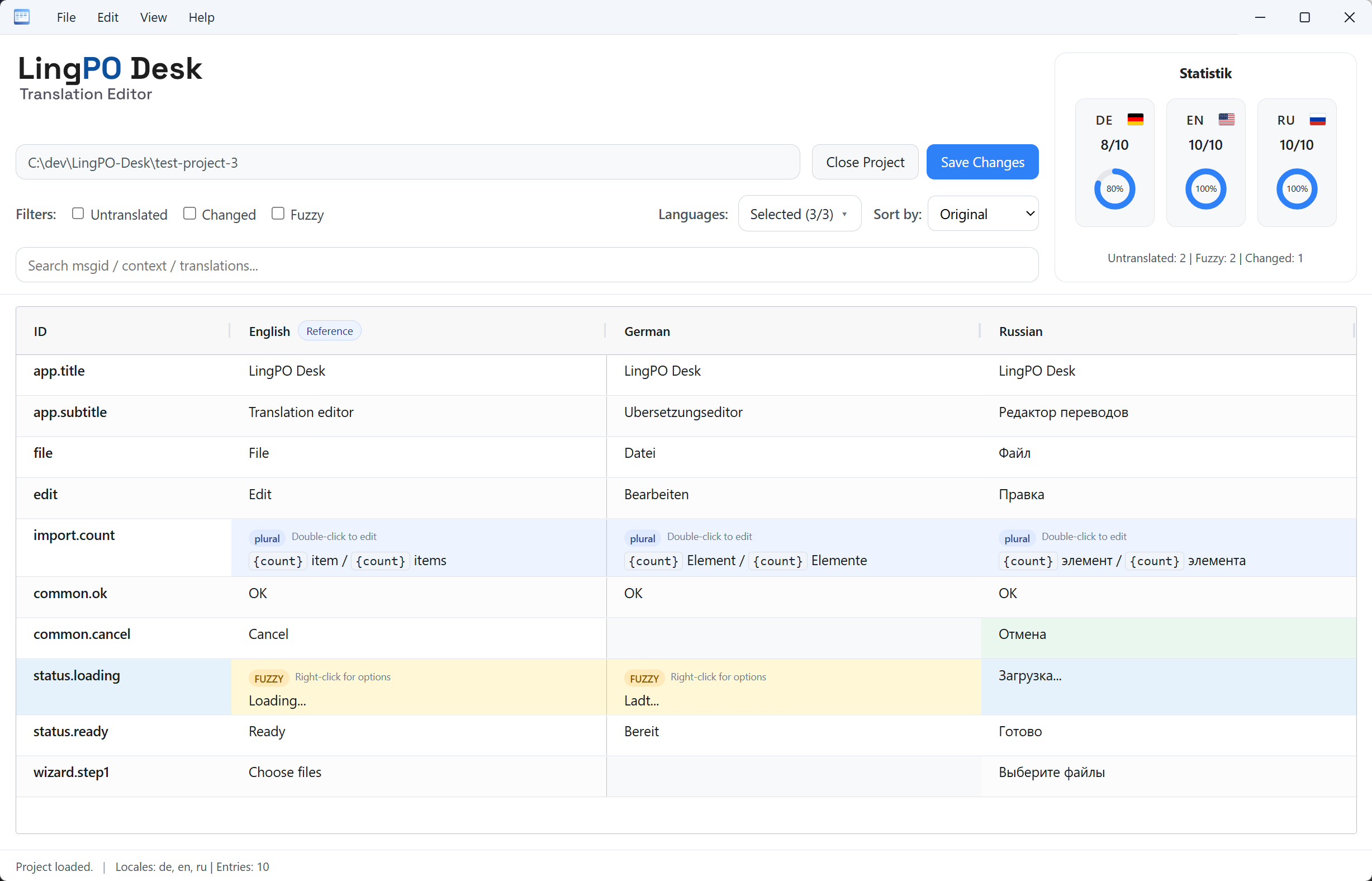
View the same message across multiple locale columns. The ID stays pinned while you scroll horizontally.

LingPO Desk scans your project folder and displays all locale catalogs in one table, with missing, changed, and fuzzy entries clearly marked.
I’m Stephan, and I work on small multilingual projects in my free time, mostly with Lingui. At some point, I got tired of constantly switching between languages and files just to check translations. So I originally built LingPO Desk for myself, to keep everything I need in one view. I now use it regularly and make it available for free to others who run into the same problem.
View the same message across multiple locale columns. The ID stays pinned while you scroll horizontally.
Filter for untranslated entries and focus directly on translations that still need work.
Add translations right where you compare them. Plural forms open in a dedicated editor when needed.
See progress per locale and totals for untranslated, fuzzy, and changed entries.
Only changed values are written back per locale and saved safely using temporary files.
Revert or restore changes at cell level before saving.
LingPO Desk works directly with the PO files on your computer. No account required.
If you prefer not to install LingPO Desk through Microsoft Store, you can download the installer or portable version here.
Windows 10/11This project is still early, and real-world feedback is worth more than anything. Found a bug? Have a workflow that doesn't fit? Just want to say it helped? Please write - every message lands directly with me.
